
Device detection and connection
Detect and connect Android devices through ADB and always see the connection status.
Simple and powerful Android device management via ADB
A Windows application for managing Android devices via ADB, including device detection and connection, taking and saving screenshots, installing and uninstalling APK files, viewing device information, and running ADB commands.
The download link is emailed to you after payment.
← Back to products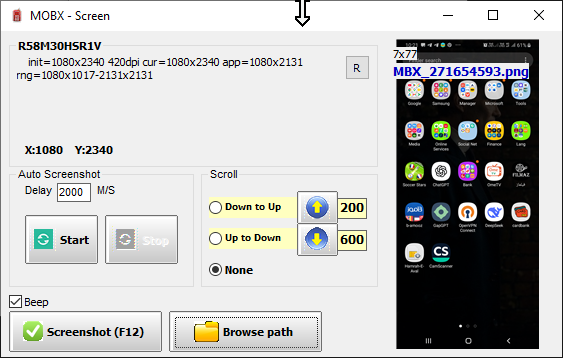
Click any image to view it full size.
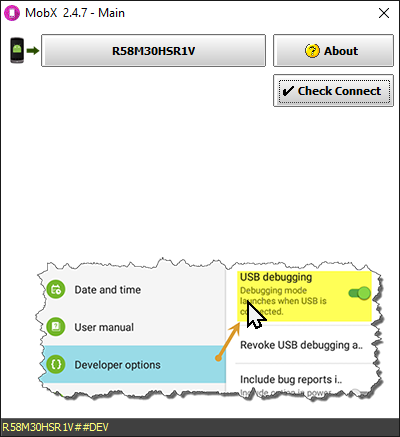
Mobix is a lightweight, practical Windows application that makes managing Android devices over ADB simple. Enable USB debugging on the phone and connect it with a cable; Mobix detects the device, shows the connection status and gives you technical details such as the model, screen resolution and pixel density.
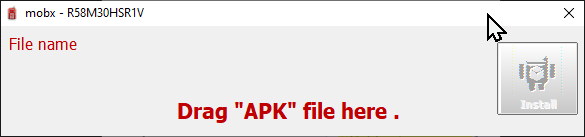
The screenshot tool captures the phone screen and saves it straight to a folder of your choice; automatic screenshots at a configurable interval and automatic scrolling (top-down or bottom-up) are available for capturing long pages. Installing apps is as easy as dragging an APK file onto the window, and uninstalling apps or running ADB commands is possible from inside Mobix without touching the command line.
Detect and connect Android devices through ADB and always see the connection status.
Capture the phone screen and save it to the folder you choose (F12 shortcut).
Capture automatically at a set interval and auto-scroll the screen for long pages.
Install APK files by drag and drop or uninstall apps from the device.
See the model, resolution, pixel density and technical details in one place.
Run ADB commands from inside the app with no command line.
Built-in visual guide for enabling developer options and USB debugging.
Runs fast on Windows with no heavy dependencies; ideal for developers and technicians.
Choose the plan that fits you. The download link is emailed to you after payment.
The download link is emailed to you after payment.